Нағыз қазақ - Домбыра
From zero to your first kui
Not a library of kuis - a trainer. Each note lights up at the moment you need to play it, the tempo drops to half speed, and a hard bar can be looped as long as it takes.
The app isn't out yet. We'll write when a test build is ready.
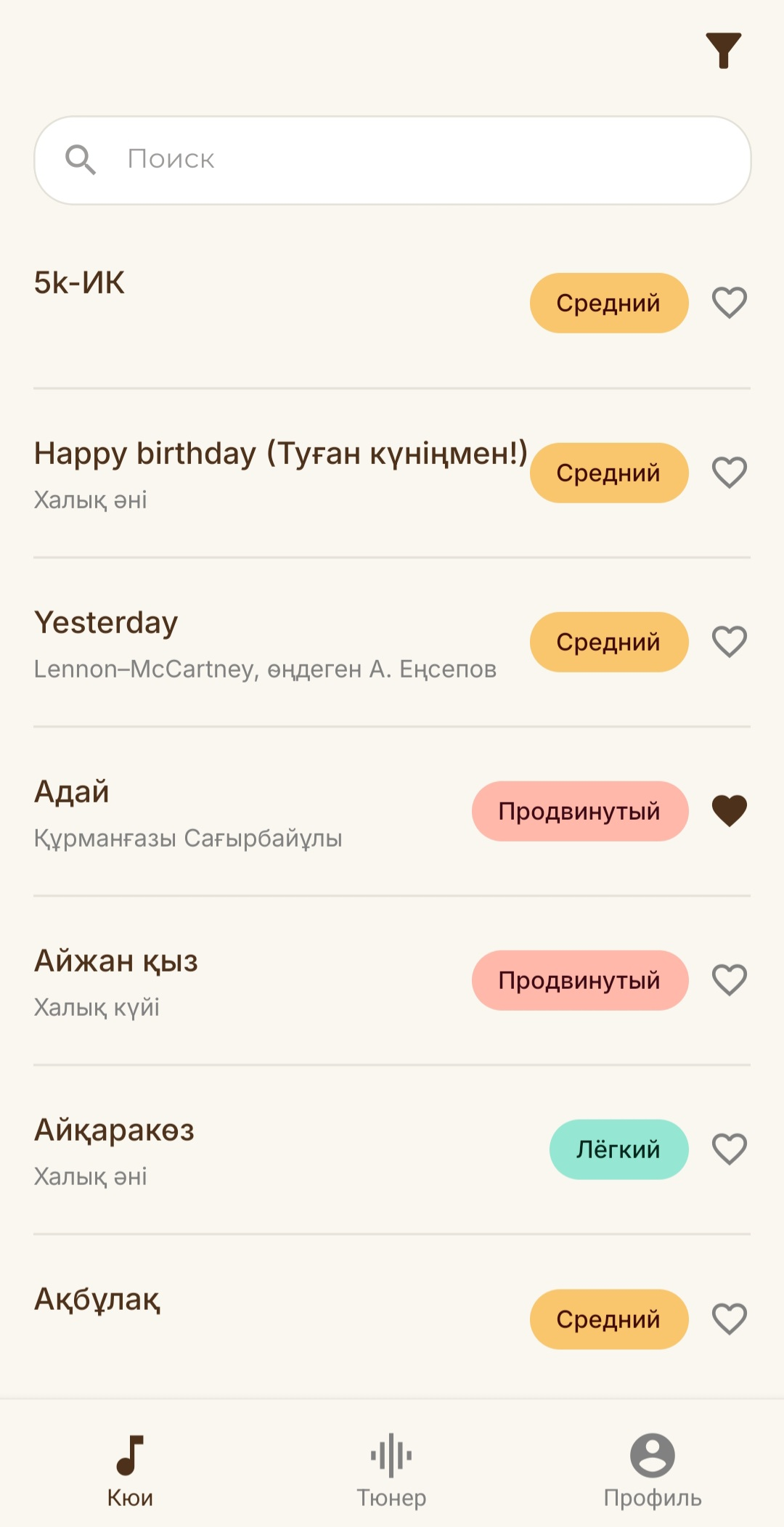
How it works
A short recording of the player - about two minutes.
The recording shows a notation page: as the melody plays, each note lights up in turn. Then the tempo drops to 50% and one block is set to loop.
What's inside
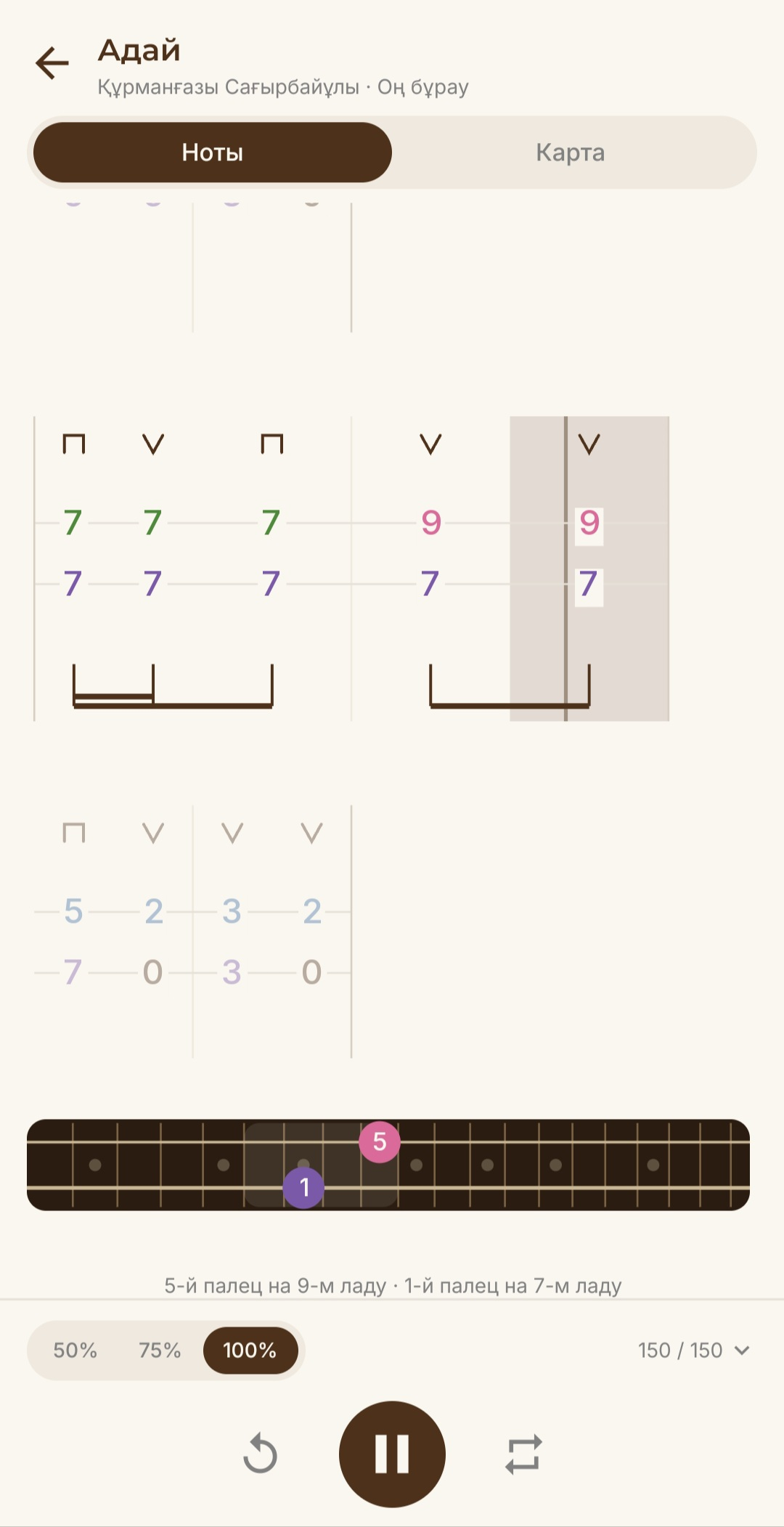
Notes and fingering
The current note stays lit, and the fretboard below shows which string, which fret and which finger.
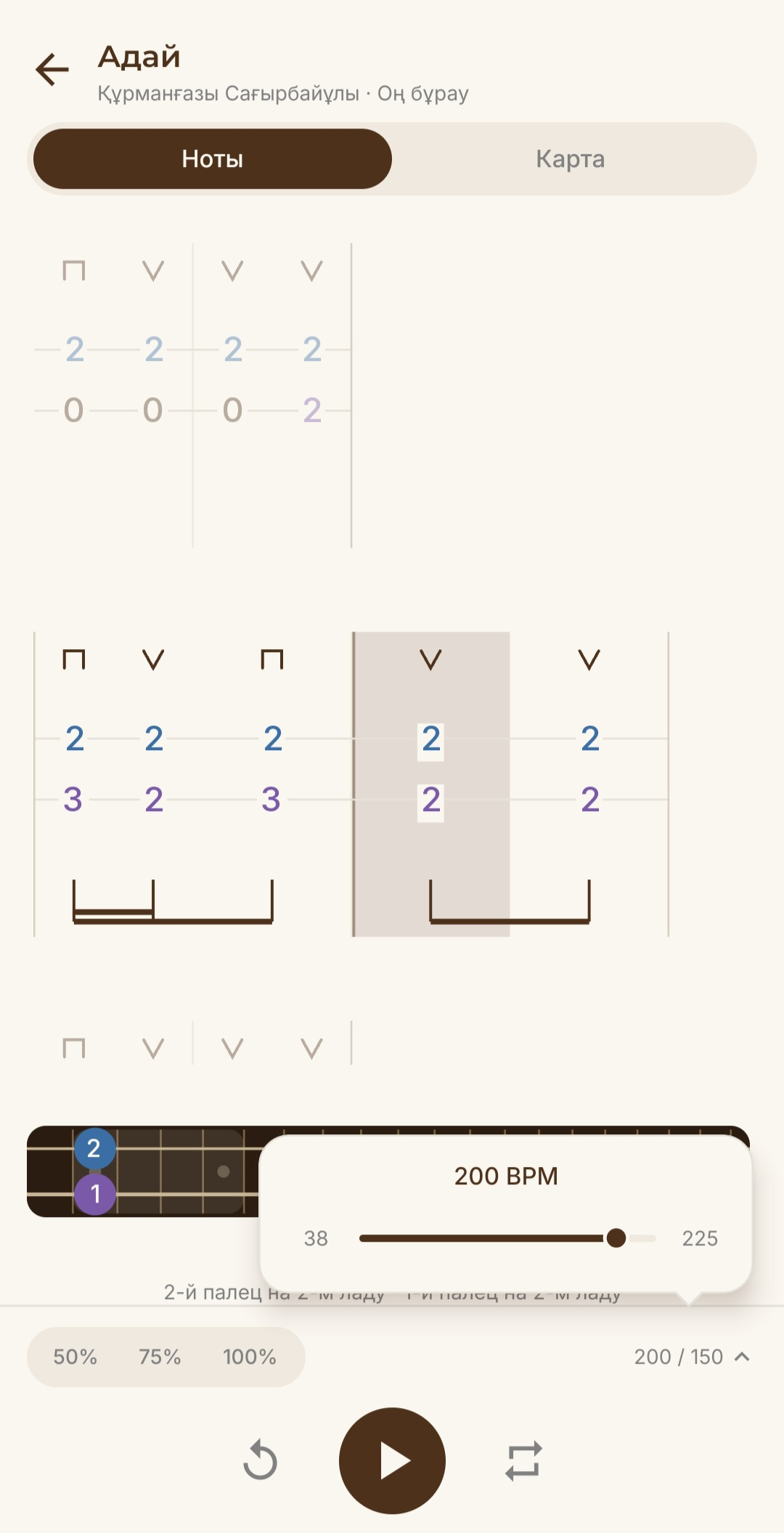
Tempo and loop
Drop the tempo to 50%, mark a passage, and repeat it until it comes out right.
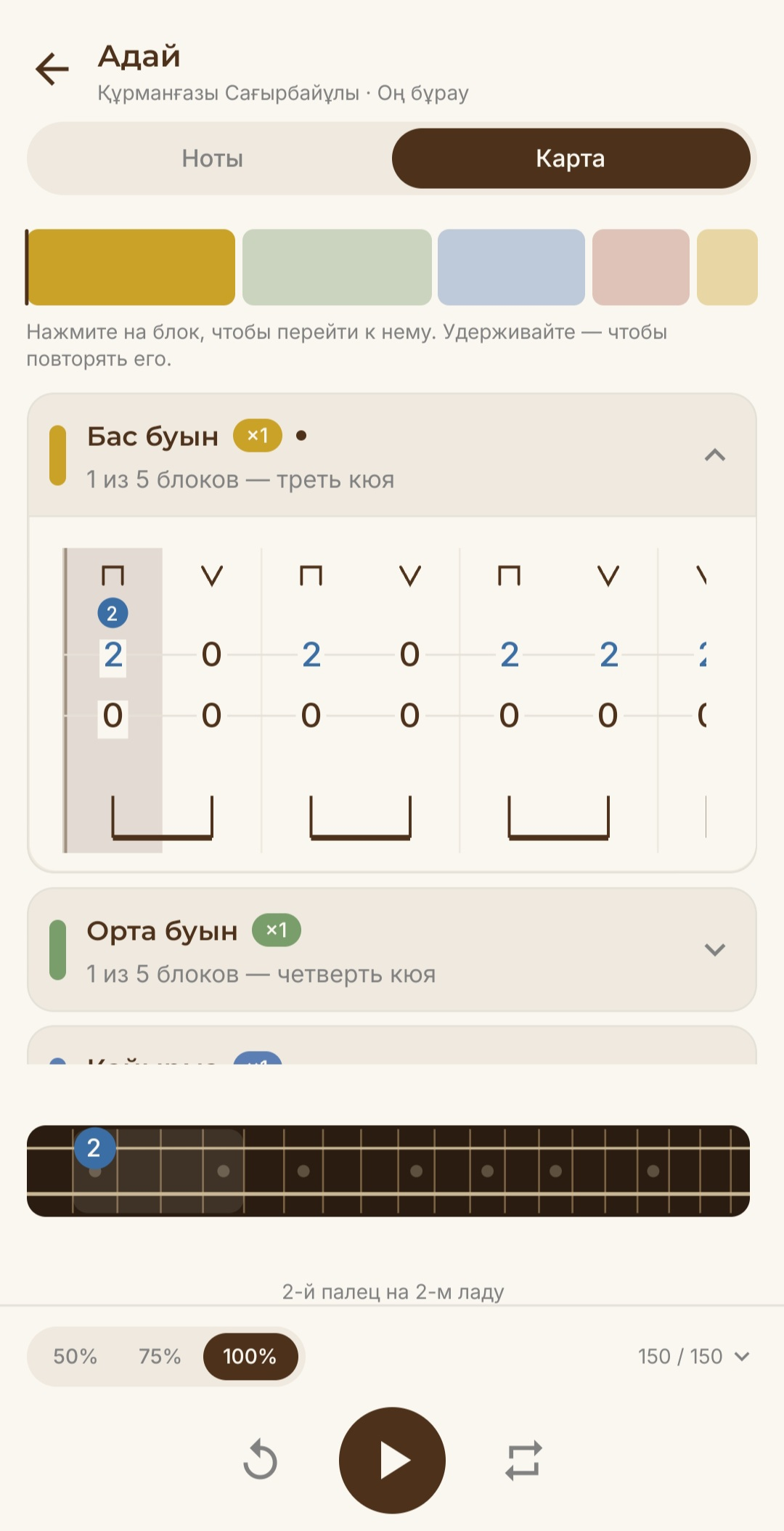
Map
The whole kui's structure on one screen: tap a section to jump to it, or set it to loop.
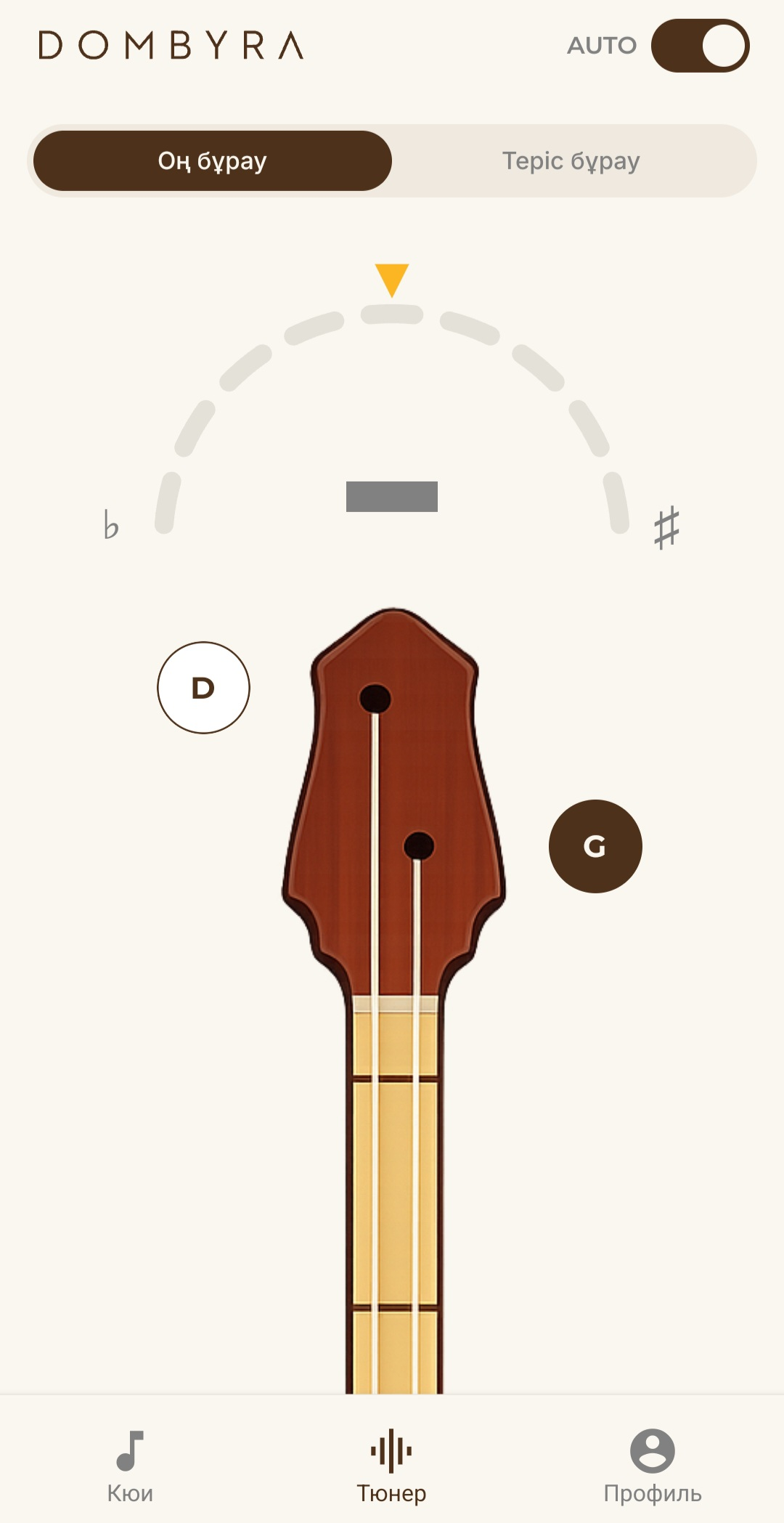
Tuner
Both Оң бұрау and Теріс бұрау, tuned by ear through the microphone.
Who it's for
However long you've been playing the dombyra.
Beginners
If you've never played before, you don't need to read music. The numbers on the page tell you which fret to stop.
Music-school students
Break the kui you were assigned into sections and drill the hard one on its own.
Self-learners
With no teacher in the room, the tempo and the loop keep you honest.
Get demo
You'll be the first to know when a test build exists. Leave an email - that is all we need.
Thank you. We'll write when a test build is ready.
For dombyra teachers
If you teach the dombyra, get in touch. We'd like to understand what your students are missing, and the app is free for your class.